EurKEY The European Keyboard Layout
Overview
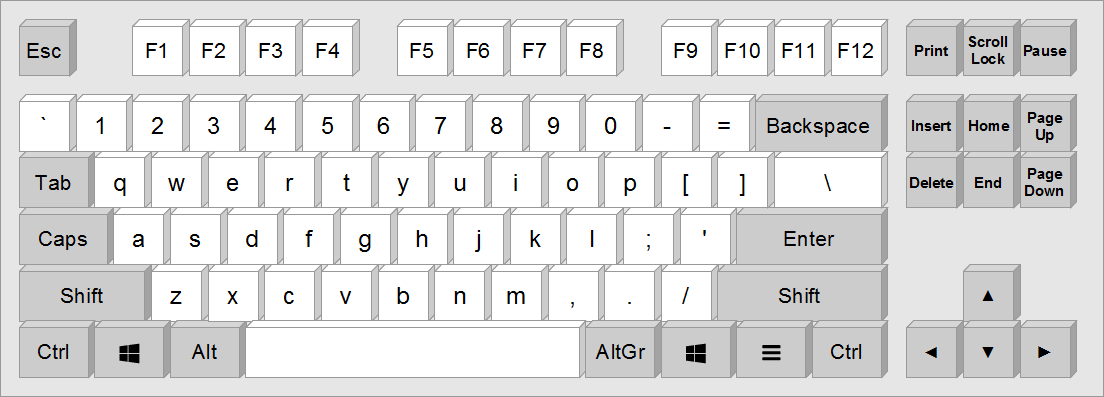
EurKEY is based on the american keyboard layout. That's because the american layout is much more convenient to type specific characters. These include :// in http://, [] and {} in source code, or slashes (/) and backslashes (\) in a Unix shell.
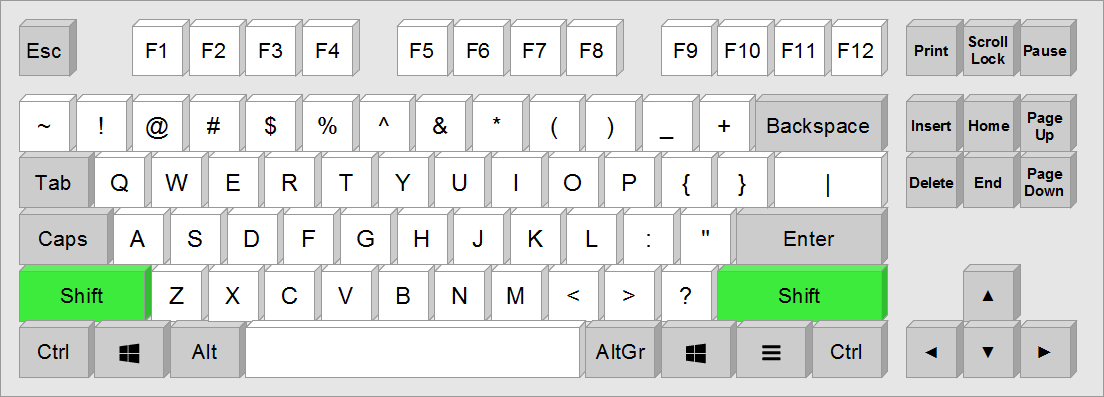
Programmers will be particulary aware of previous country-specific redesigns of the keyboard layout, which made typing curly brackets quiet hard. The american layout is a lot more practical for coding.

Almost all language specific letters can be generated with Alt Gr. Additional characters can be generated with the composition keys (so called dead keys), highlighted in blue and purple in the picture. In addition, the entire greek alphabet is accessible via the composition key Ω.
| Key | Possible characters |
|---|---|
| ` | à, è, ì, ò, ù and uppercase |
| ^ | â, ê, î, ô, û, ŷ, ŵ and uppercase |
| ° | å, ċ, ġ, ż and uppcase |
| ´ | á, é, í, ó, ú, ý, ł, ń, ŕ, ć, ɓ, ś, ź and uppercase |
| ¬ | §, №, ½, ⅓, ¼, ⅔, ¾, ©, ℗, ®, ™, ℠, ↓, ↑, →, ←, ↘, ↙, ↖, ↗, ↔, ⇐, ⇓, ⇑, ⇒, ⇘, ⇙, ⇖, ⇗ , ⇔(Windows only) |
| α | The greek alphabet |

The shifted Alt Gr layout generates the capital counterparts of european characters. The composition key ± provides access to common math symbols. E. g. the infinite sign (∞) can be generated by pressing Shift+Alt Gr+m and i.
| Key | Possible characters |
|---|---|
| ~ | ã, õ, ñ and uppercase |
| ˇ | ǎ, ě, ǐ, ǒ, ǔ, č, ď, ǧ, ȟ, ǰ, ǩ, ľ, ň, ř, š, ť, ž and uppercase |
| ¯ | ā, ē, ī, ō, ū, ƀ, đ, ħ, ḻ, ŧ and uppercase, hyphen (1), en dash (2), em dash(3) (Some are windows only) |
| ¨ | ä, ë, ï, ö, ü, ÿ, ẅ, ẗ, ḧ, ẍ and uppercase |
| √ | ∞, √, ∑, ∏, ∟, ⁿ, ∂, −, ≠, ≈, ≤, ≥, ∫, ∩, ∕, ¼, ½ ,¾ ,°, ± and many more. Have a look here. (Windows only) |
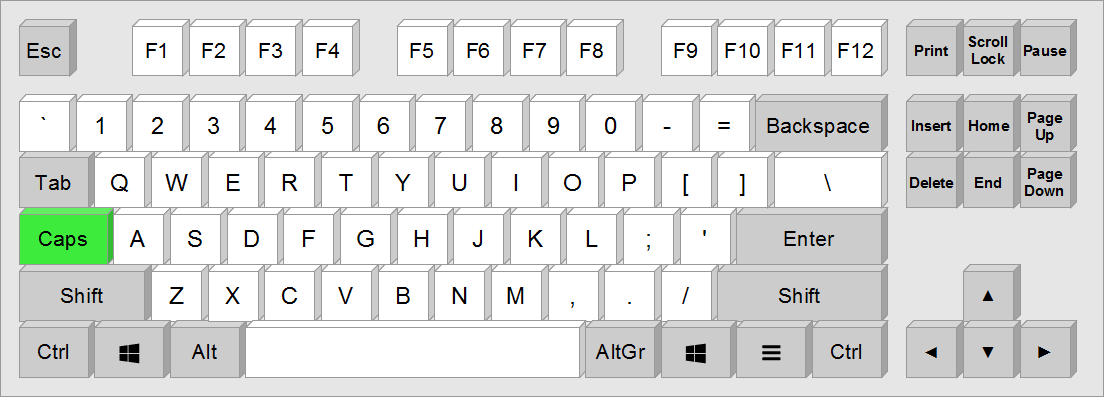
The Caps Lock generates capital letters – but only in case there is a lowercase counterpart. This allows one to type uppercase sentences intuitively.
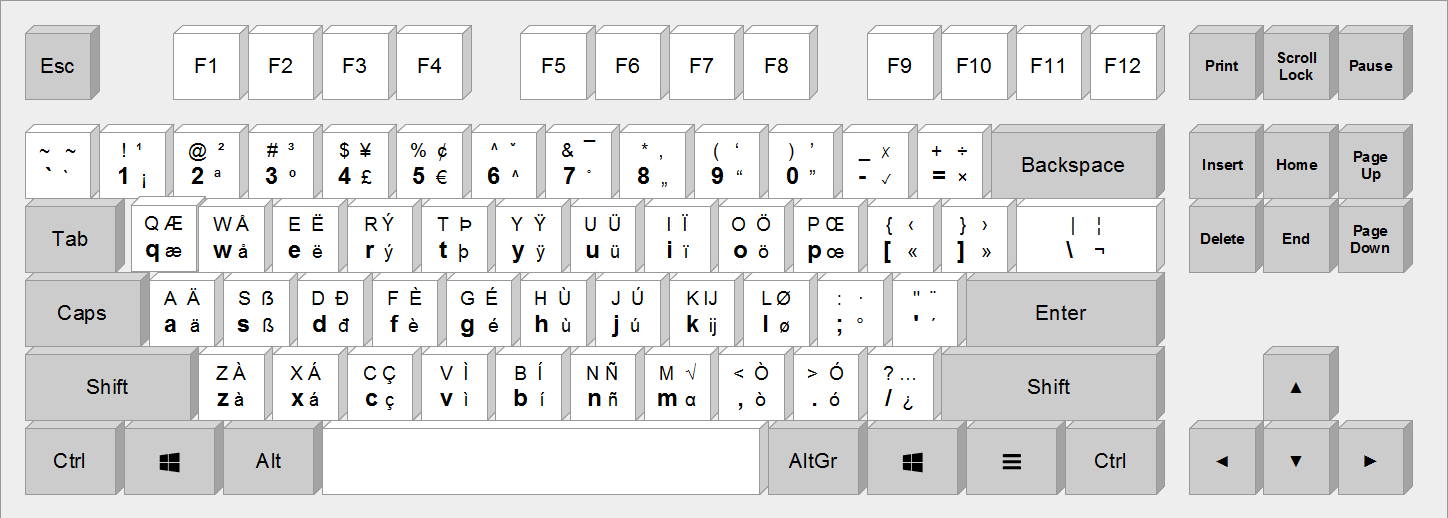
Math symbols
Press Shift+Alt Gr+M, release both, then press the key listed below. Windows only.
| Key | Symbol | Unicode | Name | Description / Mnemonic |
|---|---|---|---|---|
| Arithmetic | ||||
| - | − | U+2212 |
Minus Sign | The real minus sign, not the ASCII hyphen |
| + | ± | U+00B1 |
Plus-Minus Sign | Plus, together with its minus |
| * | × | U+00D7 |
Multiplication Sign | Asterisk is multiplication |
| / | ÷ | U+00F7 |
Division Sign | Slash is division |
| ! | ≠ | U+2260 |
Not Equal To | From != in programming languages |
| 1 | ¬ | U+00AC |
Not Sign | The unshifted ! key: negation |
| Relations | ||||
| = | ≡ | U+2261 |
Identical To | An equals sign with one more line |
| : | ≝ | U+225D |
Equal To By Definition | From := , defined as |
| ^ | ≙ | U+2259 |
Estimates | A hat on top of the equals sign |
| ~ | ≈ | U+2248 |
Almost Equal To | The tilde is the approximation sign |
| < | ≤ | U+2264 |
Less-Than or Equal To | Less than, with equality |
| > | ≥ | U+2265 |
Greater-Than or Equal To | Greater than, with equality |
| p | ∝ | U+221D |
Proportional To | Proportional |
| Roots | ||||
| r | √ | U+221A |
Square Root | Root |
| 3 | ∛ | U+221B |
Cube Root | Third root |
| 4 | ∜ | U+221C |
Fourth Root | Fourth root |
| Operators | ||||
| o | ⋅ | U+22C5 |
Dot Operator | Small o for the small dot, LaTeX cdot |
| O | ∘ | U+2218 |
Ring Operator | Capital O for the ring, LaTeX circ |
| . | ∙ | U+2219 |
Bullet Operator | A dot, LaTeX bullet |
| Logic | ||||
| & | ∧ | U+2227 |
Logical And | & is AND |
| | | ∨ | U+2228 |
Logical Or | | is OR |
| a | ∀ | U+2200 |
For All | An upside-down A |
| x | ∃ | U+2203 |
There Exists | eXists |
| X | ∄ | U+2204 |
There Does Not Exist | Shift negates |
| Sets | ||||
| N | ℕ | U+2115 |
Double-Struck Capital N | Natural numbers |
| Z | ℤ | U+2124 |
Double-Struck Capital Z | Integers |
| R | ℝ | U+211D |
Double-Struck Capital R | Real numbers |
| C | ℂ | U+2102 |
Double-Struck Capital C | Complex numbers |
| Q | ℚ | U+211A |
Double-Struck Capital Q | Rational numbers, quotients |
| n | ∩ | U+2229 |
Intersection | Shaped like an n |
| u | ∪ | U+222A |
Union | Shaped like a u |
| \ | ∖ | U+2216 |
Set Minus | The backslash |
| e | ∈ | U+2208 |
Element Of | Element |
| E | ∉ | U+2209 |
Not An Element Of | Shift negates |
| ( | ⊂ | U+2282 |
Subset Of | Round bracket: plain inclusion |
| ) | ⊃ | U+2283 |
Superset Of | Round bracket: plain inclusion |
| [ | ⊆ | U+2286 |
Subset Of or Equal To | Square bracket: the extra bar |
| ] | ⊇ | U+2287 |
Superset Of or Equal To | Square bracket: the extra bar |
| P | ℘ | U+2118 |
Script Capital P | Power set |
| ø | ∅ | U+2205 |
Empty Set | The same letter, on Alt Gr+L |
| Proof | ||||
| t | ∴ | U+2234 |
Therefore | Therefore |
| b | ∵ | U+2235 |
Because | Because |
| q | ∎ | U+220E |
End Of Proof | QED |
| z | ↯ | U+21AF |
Downwards Zigzag Arrow | Zigzag |
| Analysis | ||||
| I | ∫ | U+222B |
Integral | Integral; the Shift partner of i |
| d | ∂ | U+2202 |
Partial Differential | A curly d |
| s | ∑ | U+2211 |
N-Ary Summation | Sum |
| m | ∏ | U+220F |
N-Ary Product | Multiplication, repeated |
| D | ∇ | U+2207 |
Nabla | An upside-down delta |
| ' | ′ | U+2032 |
Prime | The apostrophe |
| " | ″ | U+2033 |
Double Prime | The quotation mark |
| Geometry | ||||
| 7 | ∡ | U+2221 |
Measured Angle | The angles sit on 7, 8 and 9 |
| 8 | ∠ | U+2220 |
Angle | The angles sit on 7, 8 and 9 |
| 9 | ∟ | U+221F |
Right Angle | The angles sit on 7, 8 and 9 |
| l | ∥ | U+2225 |
Parallel To | The two l in parallel |
| L | ∦ | U+2226 |
Not Parallel To | Shift negates |
| T | ⊥ | U+22A5 |
Up Tack | An upside-down T |
| Miscellaneous | ||||
| f | ƒ | U+0192 |
Latin Small Letter F With Hook | Function |
| i | ∞ | U+221E |
Infinity | Infinity |
| % | ‰ | U+2030 |
Per Mille Sign | Per cent becomes per mille |
| @ | ⊕ | U+2295 |
Circled Plus | At, as in add: a plus in a circle |
| 2 | ⊗ | U+2297 |
Circled Times | The unshifted @ key |
| 0 | ⊙ | U+2299 |
Circled Dot Operator | The 0 is a circle |
| ¦ | ∣ | U+2223 |
Divides | The broken bar, Shift+Alt Gr+backslash |
| h | ℏ | U+210F |
Planck Constant Over Two Pi | h-bar |
| Space | U+2007 |
Figure Space | A space as wide as a digit | |
© Steffen Brüntjen 2008-2026 · Last layout update: 5 Sep 2026